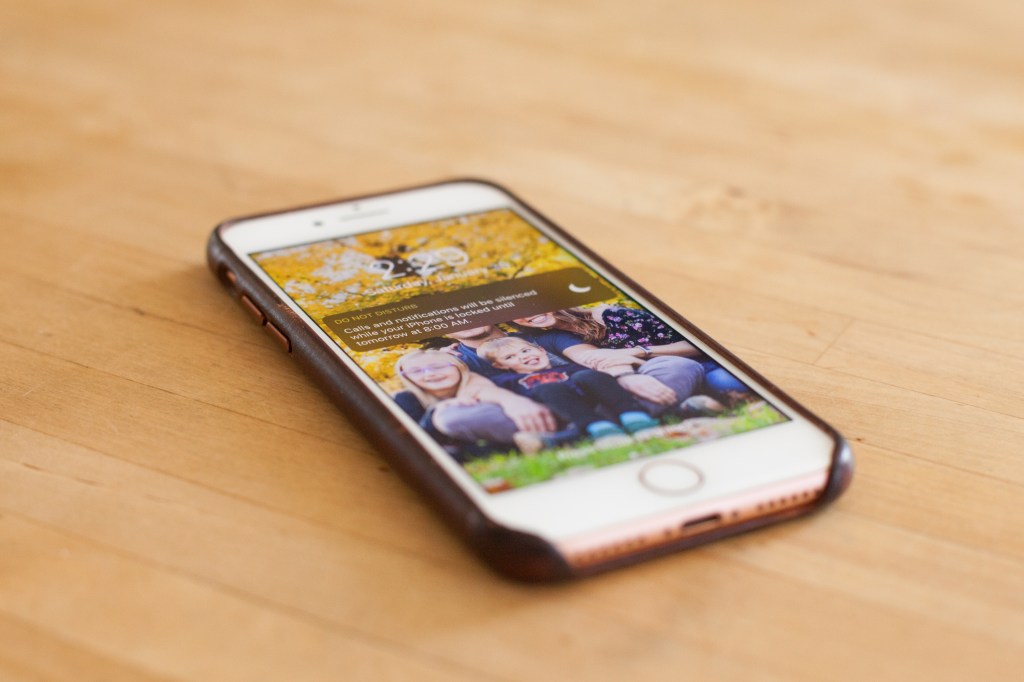
I sometimes fantasize about trading my iPhone in for a flip phone and a simpler existence, but then I think about my most used apps and I relent, accepting the fact that I will probably always have a smart phone. If I have to have a smart phone (whoa there privileged, tone it down a bit), I will be damn sure to let it know who’s boss and you should too.
One of the best decisions I’ve made tech-wise is to set my phone to Do Not Disturb mode… all the time. I don’t hear even the slightest buzz when I receive texts, calls (for the most part, will explain soon) or other notifications and it is glorious! I used to constantly hear that distracting vibration and would hurry to see who was calling only to see that it was another robocall. F that! I recently was waiting for an important call from and so had to unmute my phone. During that time, I got multiple texts and a couple of unknown number calls and I couldn’t believe how distracting it was. I have gotten so used to the peace and quiet that it shocked me that that is how I used to live my life. I still check my phone pleeenty, but I do it when the timing is right for me. Maybe this seems selfish, but I am here to tell you it is not. If like me, you can remember a time before cell phones took over the world and our attention, you can imagine how much more in control you were of your time. I sometimes daydream about what life would be like if my phone was still attached to the wall and I had to be home to make or receive a call. How much simpler my life would be!
I have tried and failed at making rules about my phone habits: don’t sleep in the same room as my phone, don’t even think about touching my phone until 9:00am, limit the amount of time I spend on my phone to one hour a day. These are great aspirations but I always find myself back where I started. Muting my phone has been the one change I have made that has stuck, simply because it would take effort to reverse the choice, thus it has become my default.
Alright, so I have convinced you and you are ready to jump on board… but you have a few concerns that need addressing first. I too was hesitant to make the leap so I will answer the questions I had in hopes that it will answer yours as well. (Disclaimer, I will only be giving specific advice about how to set up iPhones since that is what I have.)
What if there is an emergency and someone needs to get ahold of me?
Great point! This was my number one concern and rightly so. I have kids that I am responsible for and I’m not about to let myself live my unplugged, chillin in the clouds lifestyle while my kid is on their way to the emergency room and the adult accompanying them cannot get ahold of me. So, what’s the solution? There is a setting where you can allow incoming calls from people listed in your Favorites or All Contacts. Just make sure you add your children’s school and anyone else that could be taking care of your kids to your contacts. Also, there is a setting where you can allow incoming calls from anyone (whether or not they are in your contacts) if they call twice within three minutes. One final thought on this- keep in mind that back in the day, our parents weren’t constantly available and we still survived emergency situations (for the most part… oh man that got dark quickly).
Isn’t it selfish of me to take advantage of the Do Not Disturb setting?
Nope! Doing this would simply be an act of self care. As a society, we are losing our ability to focus and it is fucking scary. I notice it in myself all the time. I try to read a news article and I find myself skipping around from one paragraph to the next, without fully absorbing what I am reading. Having our attention constantly being interrupted by the buzzing of our phones is a tragedy. We live in a world where everything is fast paced and we don’t have as many opportunities to strengthen our patience muscle. Whomever is trying to get ahold of you can wait until you are ready to communicate with them. You do not need to be available 24/7 in order to be a good friend or daughter or mother. In fact, I love it when I find out a friend has set up boundaries around their phone and am quite happy with their delayed response. If I needed an answer right now, I know I could call them. That is the beauty of texting in the first place! It is a great casual option for getting in touch when the matter isn’t a pressing one. Let’s get the most out of our phones without letting them control our every waking (and sleeping) hour.
Will this solve my phone addiction?
Unfortunately, probably not, although it will help. While our relationships with our phones will improve greatly once we add that little crescent moon to the upper right corner of our phones, we still are plenty good at interrupting our own selves by grabbing our phones just for the hell of it. When life offers us a stressful moment, it is an easy escape to quickly pick up that glowing rectangle and pretend that everything in our personal lives is juuuuust fine and dandy. Oh look at that, a group of dudes bought tickets to hang out at the International Space Station at 55 mil a pop. Oh man, another 10k have lost their lives to Covid, damn that’s a lot. Oh look at that, someone liked the photo I posted of my food! A world of distractions is right there at our fingertips and it is close to impossible to break the spell our phones have over us. Muting those calls, texts and notifications will help you gain more control, but you will still have your work cut out for you when it comes breaking those other bad phone habits.
Alright, are you with me now? Here is how to go about changing your iPhone settings:
Tap Settings.
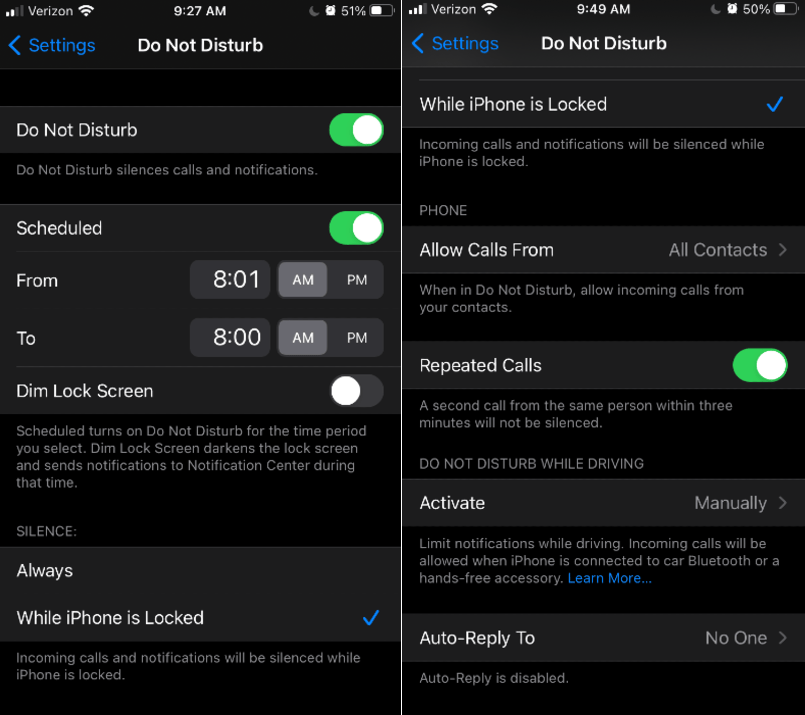
Tap Do Not Disturb.
Tap Scheduled to set the time for when you do not want to be disturbed (I set it from 8:01am to 8:00am).
Decide whether you want calls and notifications to be silenced when you’re actively using your phone.
Decide who to Allow Calls From (All Contacts, Favorites, Everyone, No One or a specified Group)
Decide whether to allow Repeated Calls from anyone if they call twice within three minutes.
Made sure to add all of your important contacts to your list that you are allowing calls from.
If you need to turn off the Do Not Disturb mode, simply swipe up on your phone and tap that crescent moon.
 MAKE THE DAMN BED
I actually do this with my work chat (DND between 6pm and 730am and on weekends).. Also my phone in general goes into DND mode from 930pm to 8am. 🙂 it’s glorious.. Have done it for years now!
LikeLike
Yessss! That is awesome! It’s so important to carve out regular hours of the day where we don’t have to be interrupted. Great idea doing that with your work chat as well. 🙌
LikeLiked by 1 person